Microsoft Azure powers everything from small web apps to enterprise platforms, but getting started isn’t always smooth. International card requirements, confusing pricing, and a lack of hands-on help slow down many teams. If you want to buy Azure subscription and have an expert handle the setup, working with an authorized Azure reseller is often the fastest and safest route.
At DconCloud, we help startups, agencies, developers, and growing businesses buy Azure under their own verified tenant, with clear billing and real human support. This guide explains what Azure is, how buying through a reseller works, what it costs, and how to choose the right partner. Most teams that buy Azure subscription through a reseller save hours on setup and billing.
Microsoft Azure is a cloud computing platform that provides on-demand infrastructure and services over the internet. Instead of buying and maintaining physical servers, you rent the resources you need and pay for what you use. To use any of these services, you first need an Azure subscription linked to your organization
Azure covers three main service models:
We support the full range of Azure cloud services, including virtual machines, storage, databases, and networking.
Common uses include hosting websites and apps, running databases, storing and backing up files, building AI and analytics workloads, and moving existing systems to the cloud. Azure also supports Windows, Linux, and many open-source tools, so you aren’t locked into one technology stack.
You can sign up with Microsoft directly, and for some users that works well. A reseller adds value in several situations:
1. Flexible billing options. Microsoft’s direct sign-up generally expects a credit card. Through a partner, you may be able to pay by invoice or other supported methods, which suits businesses with set procurement processes.
2. Expert onboarding. A good partner reviews your needs before you spend anything: which services fit, how to size resources, and how to avoid common misconfigurations that lead to surprise bills.
3. Cost optimization. Cloud spending creeps up quietly. Partners can spot idle resources, recommend reserved instances, and apply savings options like Azure Hybrid Benefit where eligible.
4. Human support. When something breaks at 2 a.m., documentation isn’t enough. Reseller support gives you a person to contact for deployment, billing, and troubleshooting questions.
5. One point of contact. Billing, support, and guidance come from one team instead of being scattered across portals and forums.
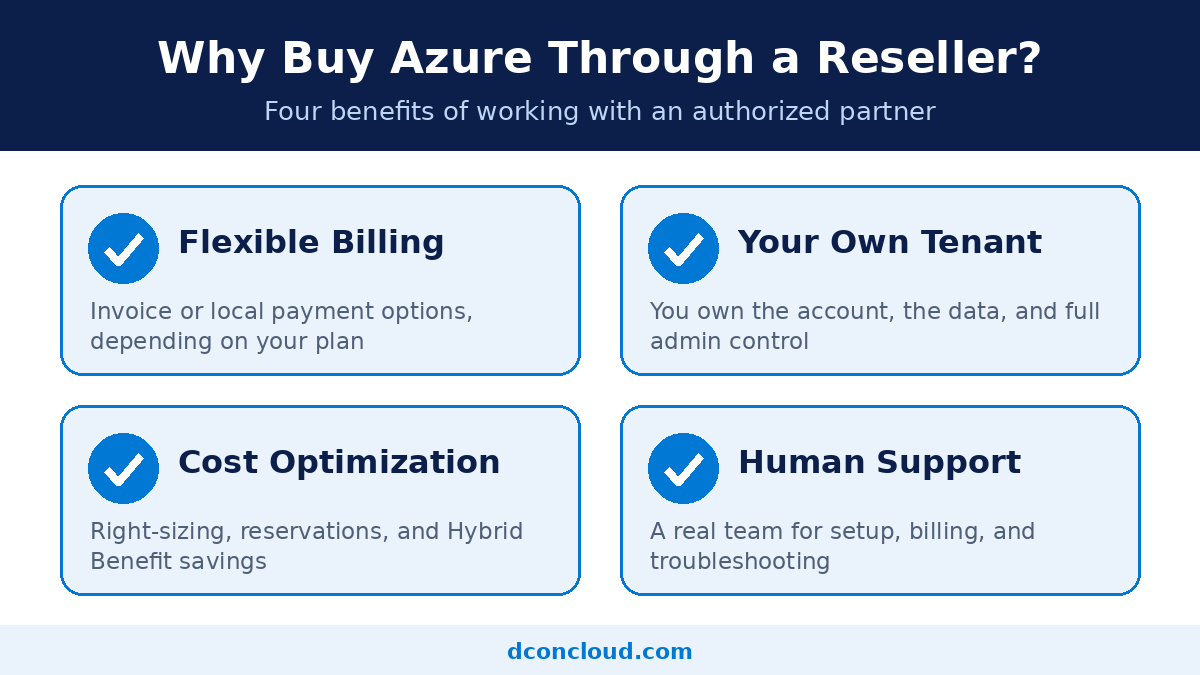
It’s worth being clear about this, because many searchers are confused. When you buy Azure through an authorized Microsoft Cloud Solution Provider (CSP), you’re buying a subscription under your own organization’s tenant. You own the account, the data, and the administrative control. The reseller manages billing and offers support, but the environment belongs to you.
This differs from buying a pre-made account from a seller. Accounts built on someone else’s identity or trial credits break Microsoft’s terms and can be shut down without notice, taking your data and workloads with them. A proper subscription under your own tenant avoids that risk entirely.
We provision every Azure subscription under your verified tenant, so you stay in full control.
Before you buy Azure subscription, estimate your monthly usage with Microsoft’s pricing calculator. Azure uses a pay-as-you-go model: you’re billed for the resources you consume, usually by the hour or second for compute and by the gigabyte for storage. Your total depends on:
To lower costs, consider reserved instances for steady workloads, Azure Hybrid Benefit if you already hold eligible Windows Server or SQL Server licenses, right-sizing underused VMs, and shutting down development environments outside working hours. Use Microsoft’s official Azure pricing calculator to estimate your bill, and we’ll help you interpret the results.
Startups get a fast launch with guidance, without hiring a full cloud team.
Agencies can host client projects, manage costs per client, and rely on one support contact.
Developers get reliable infrastructure and setup help so they can focus on code.
Growing businesses can migrate workloads, improve security, and keep spending predictable.
Already running workloads elsewhere? We also offer Google Cloud reseller services and DigitalOcean setup services.
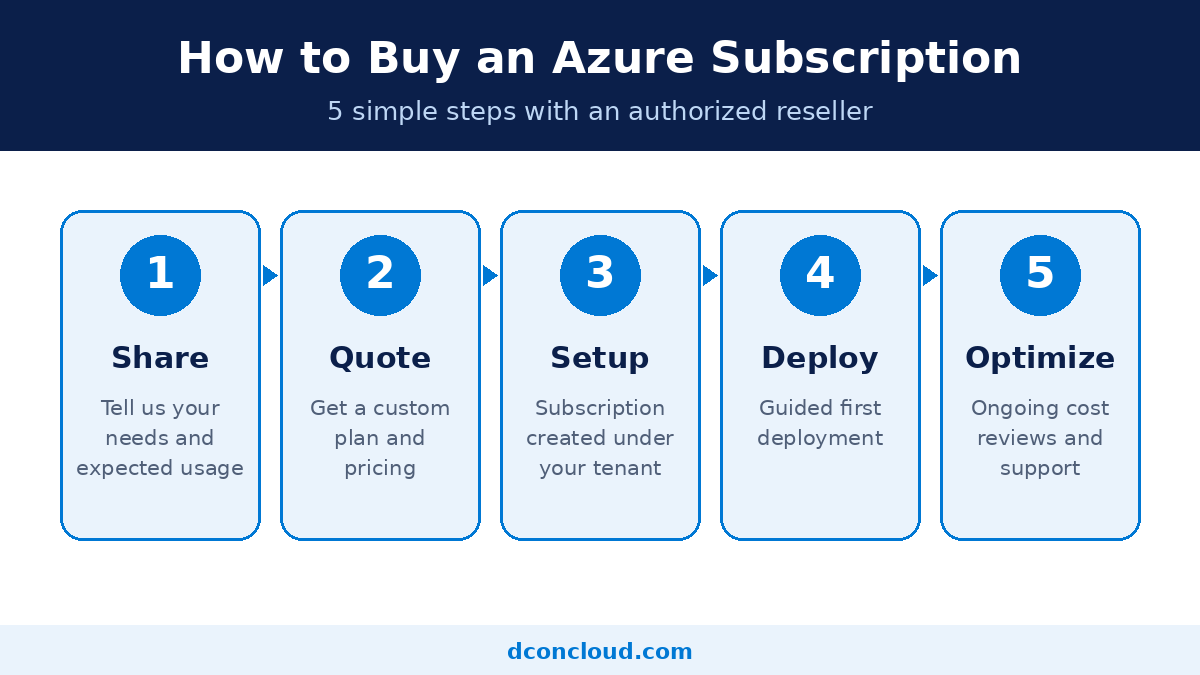
Here’s how to buy Azure subscription with us in 6 steps:
Not every provider is equal. Before you buy Azure subscription, confirm the provider is a verified Microsoft partner.
Avoid anyone selling pre-registered accounts, “unlimited credit,” or accounts tied to someone else’s identity. These offers are unreliable and risk sudden suspension.
Is DconCloud an authorized Microsoft partner?
[State your actual partner status and show your badge or partner ID.]
Who owns the Azure subscription?
You do. It’s created under your organization’s tenant, and you keep full administrative control.
Can I get Azure free credit through you?
Free credits come directly from Microsoft’s eligible offers, such as the Azure free account. We can help you check what you qualify for.
What payment methods do you accept?
You can buy Azure subscription through us using cryptocurrency.
Can you help migrate my existing workloads?
Yes. We assess your current setup and plan the move to reduce downtime and risk.
What if my previous Azure account was suspended?
We can help you understand the reason and the appeal process through Microsoft. We don’t offer workarounds that bypass account restrictions.
Whether you’re launching your first project or moving an existing workload, buying Azure through an experienced partner saves time and reduces risk. Buy Azure subscription with confidence, and our team will recommend the right setup for your needs and budget.