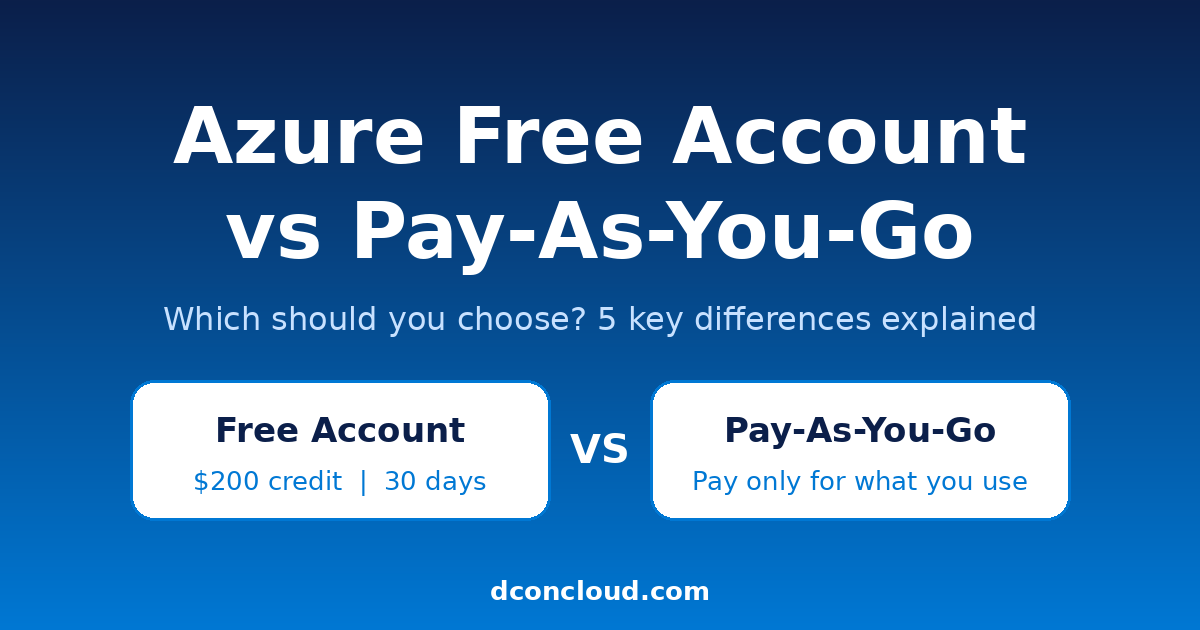
Starting with Microsoft Azure raises one question straight away: should you begin with the free account or go straight to pay-as-you-go? The Azure free account vs pay-as-you-go choice affects how much you can spend, which services you can use, and when billing begins.
This guide compares both options, explains how the $200 credit works, and shows when to switch, so you can start without surprise bills.
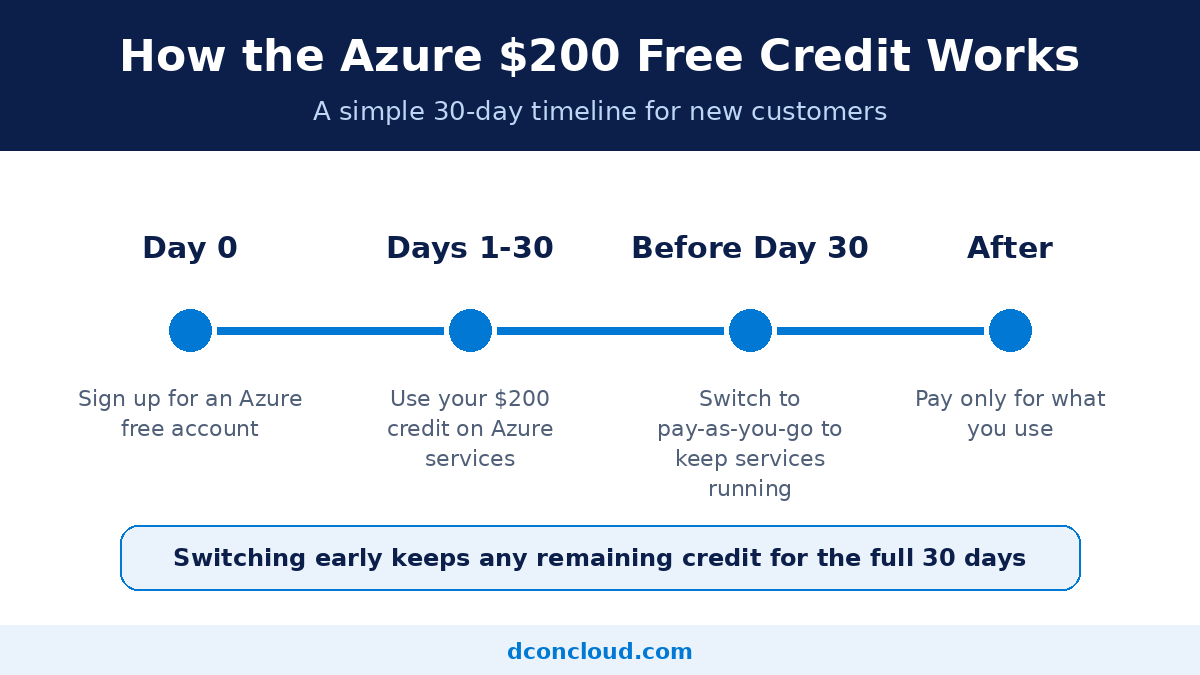
An Azure free account gives new customers free services plus a $200 credit to explore Azure for up to 30 days, and you are not charged unless you choose to move to pay-as-you-go.
It is built for learning and testing. You can try virtual machines, databases, storage, and other services before committing real money.
Key points:
For more detail, see Microsoft’s Azure free account FAQ.
Image 1. Alt text: How the Azure $200 free credit works over 30 days
Pay-as-you-go is Azure’s standard pricing model. You pay only for the resources you use, billed by the hour, second, or gigabyte depending on the service. There is no long-term contract and no minimum commitment, so you can scale up for a busy period and scale down afterward.
This model suits real projects: live websites, client applications, databases, and anything you need to keep running. Costs depend on compute size, storage type, networking, region, and the managed services you choose. Our guide to how Azure pricing works covers the cost factors in more detail.
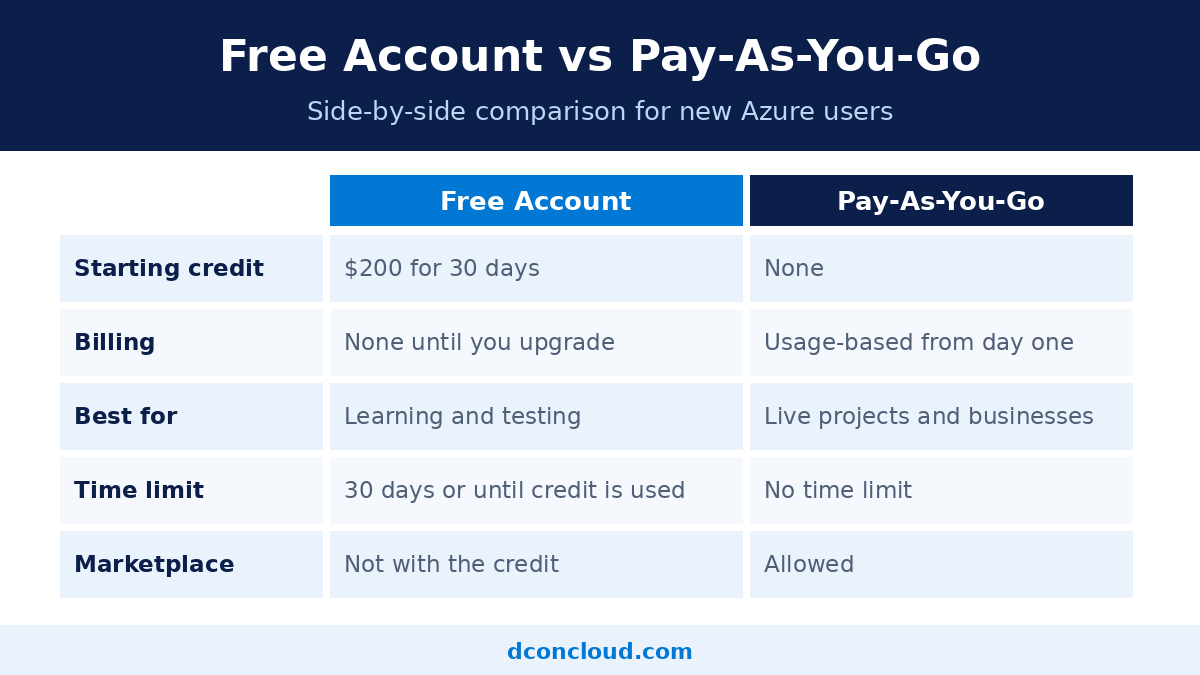
The free account starts with a $200 credit and no charges unless you upgrade. Pay-as-you-go has no credit, and you are billed for everything you use from the first resource.
With a free account you must move to pay-as-you-go within 30 days or once you have used your credit, whichever comes first, to keep receiving free services. Pay-as-you-go has no time limit.
The free account is for learning, testing, and proofs of concept. Pay-as-you-go is for production workloads and real businesses.
Once you move to pay-as-you-go, you are billed at pay-as-you-go rates for anything above your monthly free amounts. Some free allowances continue, but anything beyond them costs money.
Free account credit cannot be used for Azure Marketplace offers. You can buy Marketplace products only after moving to pay-as-you-go. If your project needs third-party software from the Marketplace, plan to switch early.
| Feature |
Azure Free Account |
Pay-As-You-Go |
| Starting credit | $200 for 30 days | None |
| Billing | None until you upgrade | Usage-based from day one |
| Best for | Learning and testing | Live projects and businesses |
| Contract | None | None |
| Marketplace purchases | Not with the credit | Allowed |
Choose the free account if:
Choose pay-as-you-go if:
Often the best path: start with the free account, test your setup, then move to pay-as-you-go before day 30. Doing so does not forfeit your remaining credit, which stays available for the full 30 days from when you created the free account.
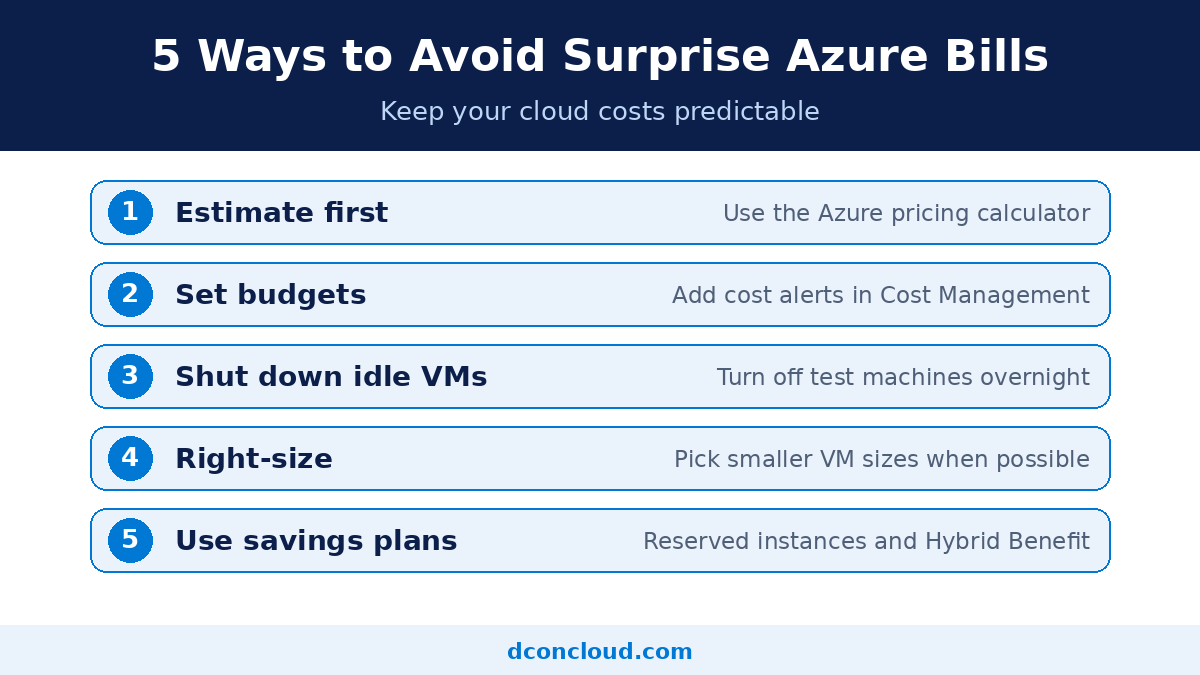
Cloud costs grow quietly. These habits keep your bill predictable:
You can sign up with Microsoft directly, and for many people that works well. A reseller helps when you want invoice-based billing, hands-on onboarding, cost reviews, or one team for setup and support. The key point is that the subscription is created under your own verified organization, so you keep ownership and control.
Our team at DconCloud helps customers buy an Azure subscription through an authorized partner, with guided setup, flexible billing, and ongoing cost optimization. If you also use other platforms, see our Google Cloud reseller services and DigitalOcean setup services, or browse everything on our cloud services homepage.
Is the Azure free account really free?
You will not be charged unless you choose to move to pay-as-you-go. The credit and free services have limits and time frames, so read the current terms on Microsoft’s free account page.
Can I use the $200 credit more than once?
No. Microsoft limits the free account and credit to one per new customer.
What happens after the 30 days?
You need to move to pay-as-you-go to keep services running. Resources may stop if you do not upgrade, so decide before the deadline.
Can I switch to pay-as-you-go early?
Yes, and you keep any remaining credit for the full 30 days from when you created the account.
Does the $200 credit apply to every Azure service?
Not always. It cannot be used for Marketplace offers, and some sovereign cloud regions are excluded. Check the terms for your region.
Can DconCloud give me the $200 credit?
No. The credit comes directly from Microsoft to eligible new customers. We can help you check eligibility, set up correctly, and move to pay-as-you-go smoothly.
For most people, the Azure free account is the safest place to start, and pay-as-you-go is where real projects run. Test with the credit, watch your usage, and upgrade before the 30 days end so nothing stops unexpectedly.
Need help choosing a plan or setting up your first workloads? Request a free Azure quote and our team will guide you.